


 Android
 Web browser



THE DAILY · CAFÉGood morning.
Great flavours.
Great flavours.
Coffee + fresh croissant
1 490 Ft07:00 — 11:00 TZSVTAVCLOUD

DIGITAL SIGNAGE · CONTENT CREATION · AI
Your images. Moving stories. Timely offers.
One workspace, from the first idea to the screen.
ONE WORKSPACE. DIFFERENT DISPLAY ECOSYSTEMS.
We match the connection and output to the capabilities of each player.
POSTERMYWALL × TZSVTAV CLOUD
You don’t have to design every idea from scratch. Explore image and video templates, make them your own, then bring the finished content into the portal’s media library.
Create content in the portal ↗Image or video, landscape or portrait.
Your wording, photos, colours and logo.
Finished content into your library and playlist.
Template previews: PosterMyWall ↗. Connect your own PosterMyWall account. Subscriptions and any download fees are paid directly to the provider; your plan and licence determine quality and usage.
AI SCHEDULING ASSISTANT
Which content, on which screen, and when? AI arranges your request into a proposal. You review and approve it.
“Show breakfast offers in the morning and switch to lunch at midday. Run the weekend campaign in the store from Friday to Sunday.”
Interactive demonstration: the buttons switch the sample plan; they do not create a real schedule.
INSIDE THE PORTAL
Our own portal screenshots. Select an image for a larger view. The images contain demonstration data.
Your brand, editable layers and AI tools in one workspace.
Images, videos and finished designs in an organised library.
Content, location and timing: a request becomes a proposal to review.
TZSVTAV AI ASSISTANT
Create content, adapt layouts, review designs and plan schedules. AI joins the work you are already doing, whenever you ask.
Meet your AI assistant ↗Create a portrait layout for our weekend promotion. Keep my product photo and logo, and make the price easy to read.
The headline, product and price take priority. Review the preview, then apply the result in the editor yourself.
An interactive example. This demonstration does not send a real AI request.
TRY IT ON SCREEN
See how content transforms the same screen. Choose a message: the location stays, the display comes to life.
Your own photo, offer and price in one eye-catching design.
Interactive visual demo · sample content and example prices
BUILD YOUR OWN SCREEN
Choose a location, then turn elements on or off. The image, text and clock update immediately. This is your space to experiment.
Fresh coffee. Delicious bites. A little time for yourself.
 Discover more
Interactive demonstration. Example prices and sample weather; changes stay in this browser view and are not saved.
Continue in the real content editor ↗CONTENT TAKES CENTRE STAGE
A good display attracts attention, informs and guides. Choose a setting to see how screens become part of everyday communication.
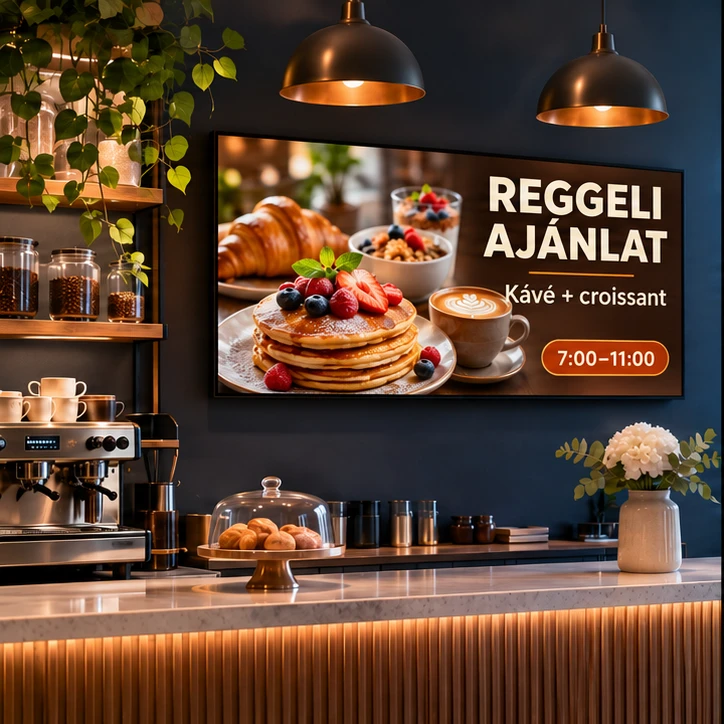
Digital menus, appetising promotions and content that changes with the time of day.
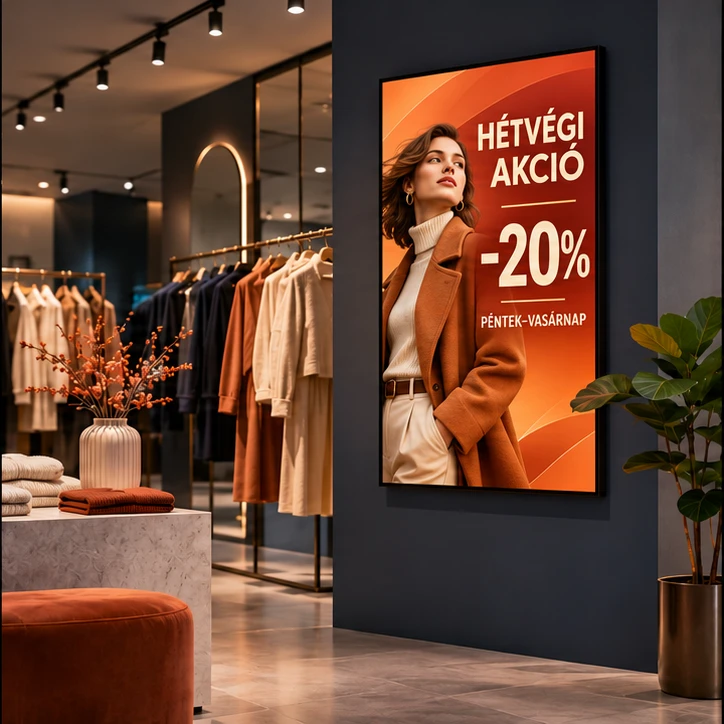
Promotions, product launches and a consistent brand presence across multiple locations.
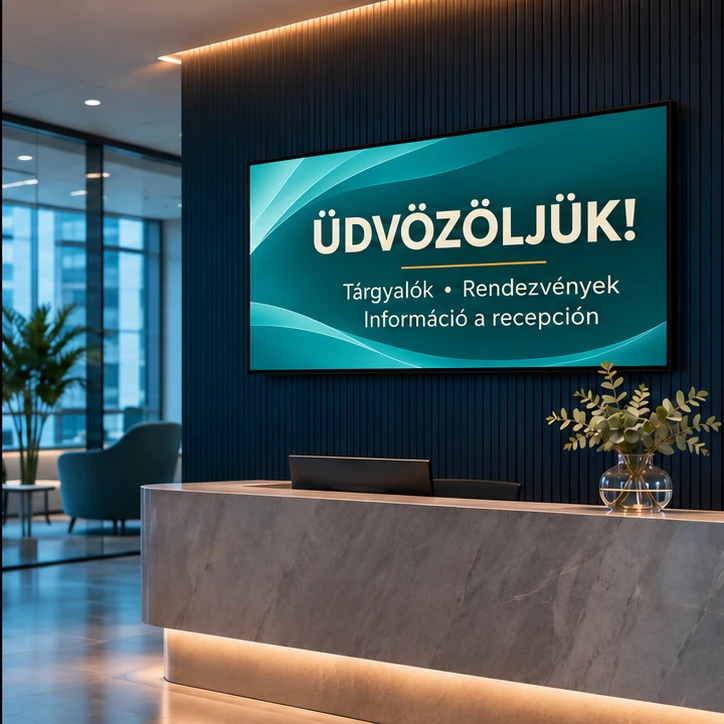
Welcome messages, internal news and event information on the screens that matter.
THE WHOLE WORKFLOW IN ONE PLACE
Images, videos and PDFs, organised in your own media library.
Explore ↗02Layers, brand colours, animations, templates and optional AI help.
Explore ↗03Playlists, locations, recurring schedules and campaigns.
Explore ↗04Players, available status reports and central management.
Explore ↗START WITH YOUR ASSETS. ASK FOR HELP WHEN YOU NEED IT.
Manual editing stays in your hands. When asked, AI can help arrange a layout, adapt it to another size, review the result or propose a schedule. If you are stuck, it uses your current context to suggest the next step.
Content & AIDIGITAL SIGNAGE IN PRACTICE
A digital screen creates value when its message fits the place and the moment. A breakfast offer serves a different audience from a weekend sale, while a reception screen has a different purpose from a shop-window advertisement. TZSVTAV Cloud brings this workflow together: uploading assets, editing content, building playlists and assigning schedules to screens.
You can start with the creative assets you already have. Organise your own images, videos and documents in the media library, then build a playlist. When a single file is not enough, add text, a logo, video layers or widgets in the visual editor. An optional AI assistant can help arrange a design, adapt it to another aspect ratio or suggest the next step when you get stuck.
The same principle applies to one shop and a network of locations: put the right material on the right screen. We review the player, network and need for live content together. The result is a practical communication workflow with clear responsibilities and a consistent brand presence.
LET’S START WITH YOUR SCREENS
Tell us where you want to communicate and what you want to show. We will help shape the solution.
A web portal for organising media, editing screen content, creating playlists and scheduling displays across one or more locations.
Start with your own photos and videos. Ask AI to help with a layout, adaptation or schedule when you need it, then review the proposal.
TZSVTBAND Kft. provides the service from Budapest, Hungary. Supported content and control options depend on the selected player and integration.