Brand kit
Keep your logo, colours and fonts consistent across the content you create for your screens.
 TZSVTAVCLOUD
THE PLATFORM
Connect your content, locations and schedules in a workflow built around the message you want to show.
AI SCHEDULING ASSISTANT
Which content, on which screen, and when? AI arranges your request into a proposal. You review and approve it.
“Show breakfast offers in the morning and switch to lunch at midday. Run the weekend campaign in the store from Friday to Sunday.”
Interactive demonstration: the buttons switch the sample plan; they do not create a real schedule.
INSIDE THE PORTAL
Our own portal screenshots. Select an image for a larger view. The images contain demonstration data.
Content, location and timing: a request becomes a proposal to review.
Time slots, recurring programmes and campaigns in a weekly calendar.
Review starts, completions and recorded playback duration.
Keep your logo, colours and fonts consistent across the content you create for your screens.
Choose a still image, supported video composition or live design to suit the content and player.
Images, videos, PDF pages, folders, search and customer-specific content.
Position layers, adjust opacity, add entrance effects, choose fonts and apply your brand.
Analogue and digital clocks, date, weather, RSS, websites, YouTube and PDF.
Context-aware help when you are stuck, design reviews and suggested next steps.
Optional layout proposals, aspect-ratio adaptation, background removal and video creativity.
Choose templates and edit using your own connected account. Downloads and licences follow the provider’s terms.
Set the order, display time and composition assigned to each screen.
Plan time slots, dates, recurrence and location-specific content.
Turn a natural-language request into a schedule proposal you can review and approve.
Group players and view the available connection, version and storage reports.
Synchronise content and use the remote actions supported by each device.
Define email and Telegram notifications that fit your operational requirements.
Organise customers, locations, users, module permissions and separate access.
Review recent reports, available playback data and network status.
Coordinate local network sources and displays in a setup designed for the site.
Plan campaigns, display locations and time windows across your screen network.
EVERY MESSAGE HAS ITS MOMENT
Combine your regular programme with scheduled content. Try the time-of-day selector to explore the idea.
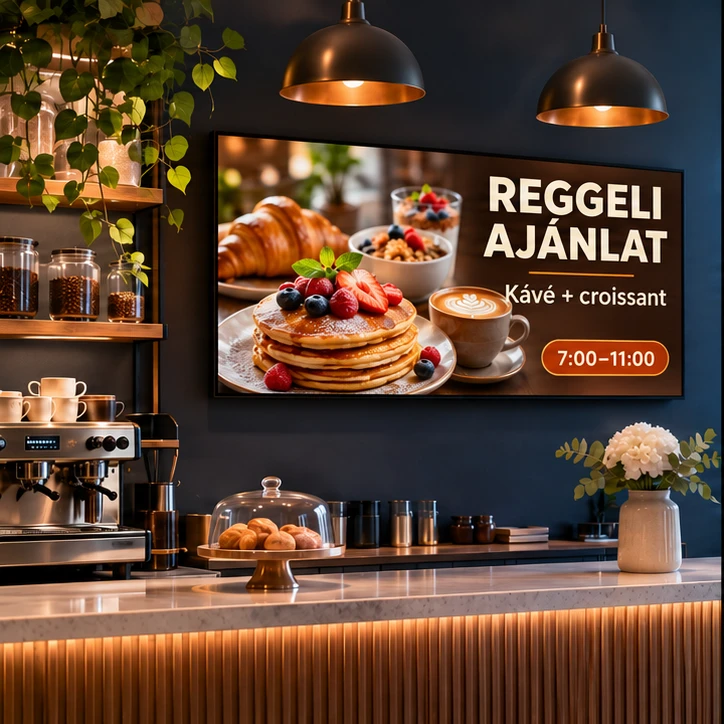
The right offer is ready before the first guest arrives.
HOW THE WORKFLOW FITS TOGETHER
Central screen management involves more than sending files. Content must be organised, assembled, given suitable display durations and assigned to the purpose of each screen. The media library, visual editor, playlists and schedules work together. This lets you distinguish an everyday default programme from a time-of-day offer or a campaign running during a specific period.
In a multi-location operation, permissions matter as much as playback. Customers, locations, users and module access help keep responsibilities clear. A local store employee and a central network manager can have different roles and work with different content. The workflow can be adapted to who prepares, reviews and publishes the material.
Player status must be interpreted using the reports actually available. A recent connection, the last status report and local playback are different things: downloaded content may continue playing while the connection to the portal is interrupted. Remote control and monitoring therefore depend on the exact device and software. AI can propose a programme when asked, but the user reviews and approves it.
LET’S START WITH YOUR SCREENS
Tell us where you want to communicate and what you want to show. We will help shape the solution.